 highghlow




This guide is based on this pikabu post
Some pictures are from this 4pda post
Diagnosis
The phone is stuck in a bootloop displaying "Orange State", does not respond to any buttons presses, and can't enter recovery or fastboot.
Notes
This guide requires you to scrape off the solder mask of a micropin on the motherboard using a needle. A microscope is highly recommended for this
I did many things during my unbricking process. I don't know which of these are important, so I wrote all of them here
Exposing the testpoint
Disassemble the device. There is nothing special here; just remove the back cover, unscrew all the screws on the top half and unplug all the wires
Remove the motherboard from the device and turn it around
Remove this metal cover:
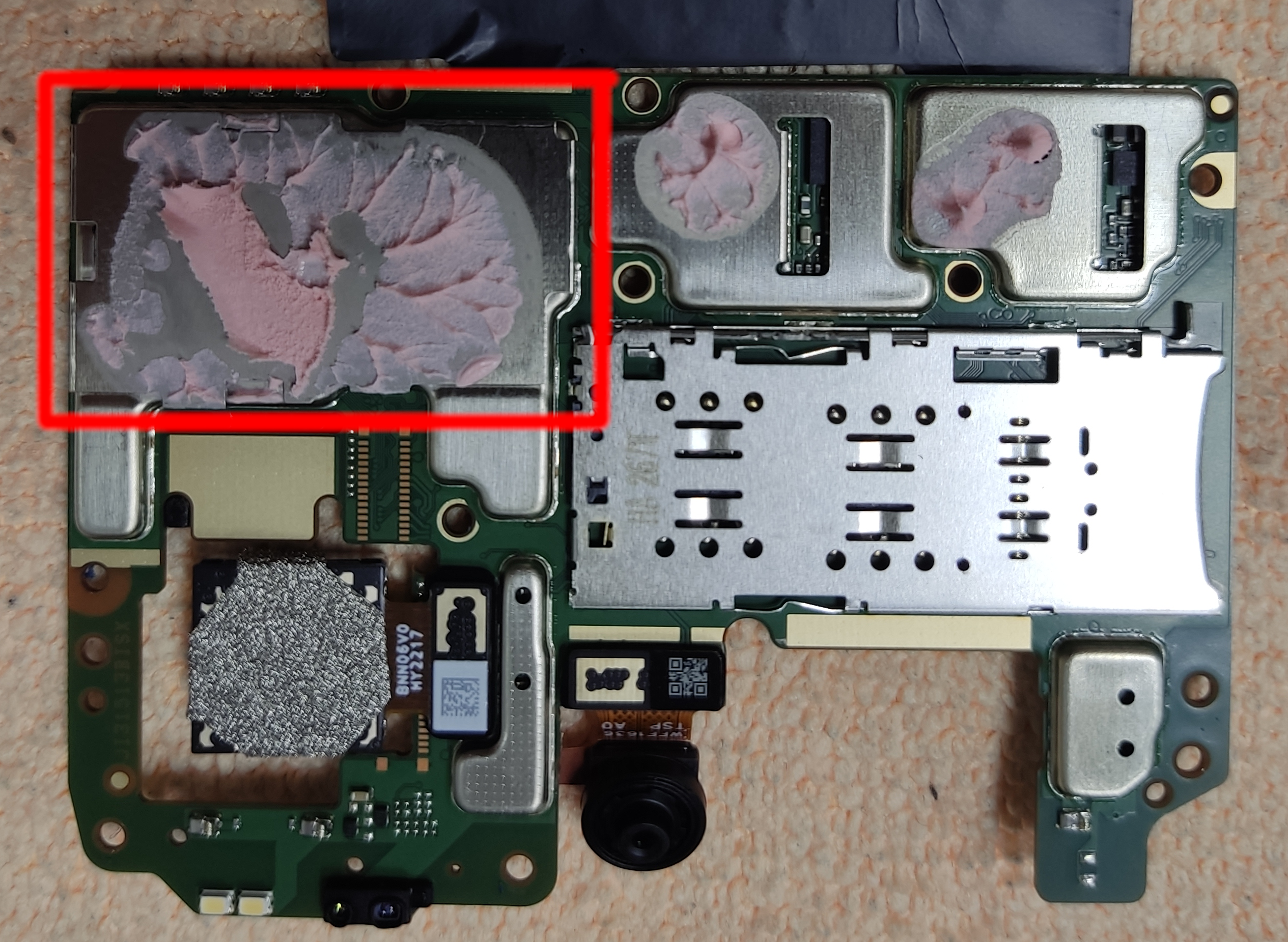
Find the testpoint and carefully scrape off the solder mask:
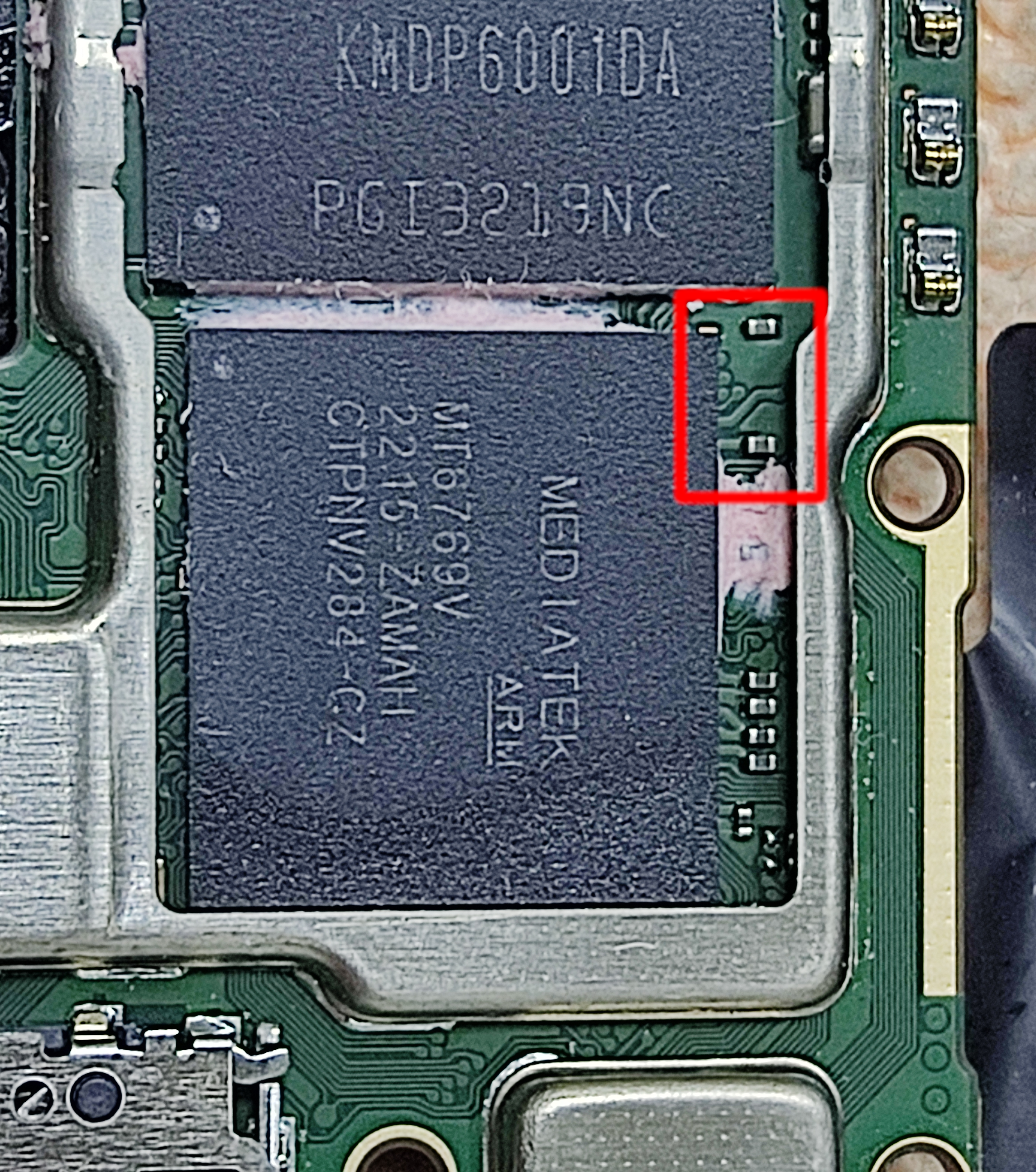
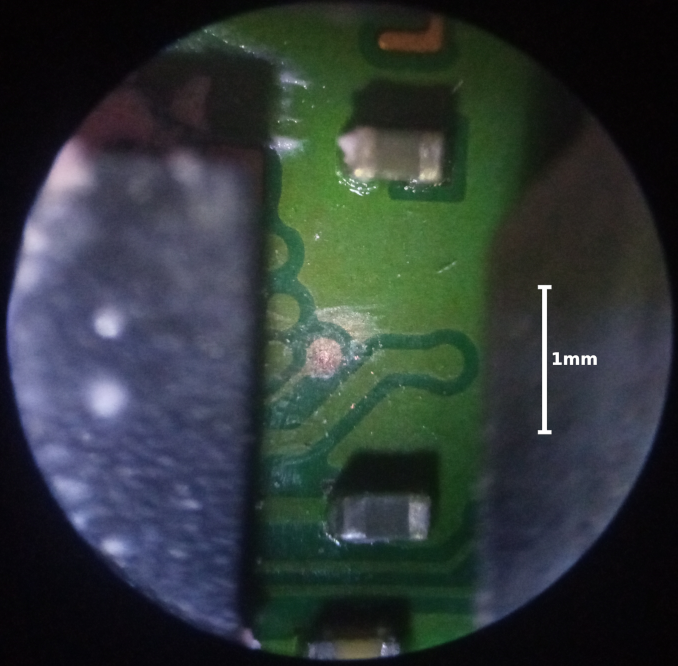
Using the testpoint
Now assemble the phone is such a way that you can still access the testpoint, even when it's powered on. I did it like this:
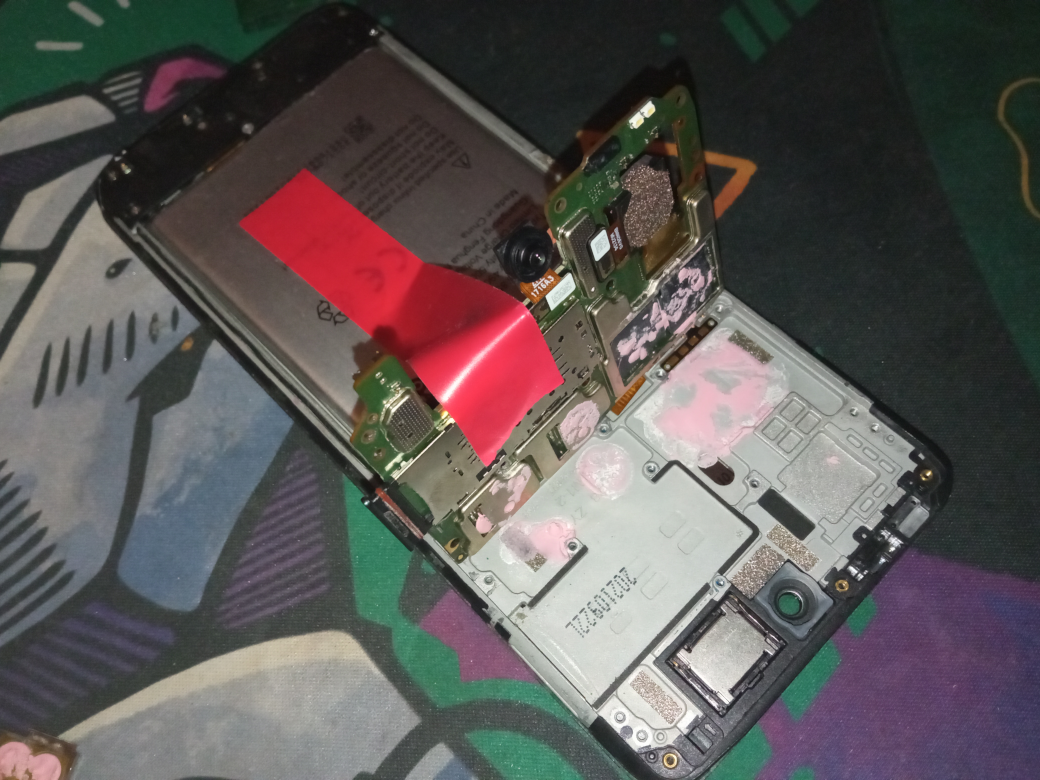
The testpoint has to be shorted to ground for it to work. I recommend using a sharp needle, connected with a wire to the phone's ground (any large metal surface). I shoved the wire into the SIM tray level, because it can actually hold the wire without any tape.
Flashing the firmware
Here are the things I did to this phone, in order:
Flashed the firmware in "Download Only" mode (see §Using SP Flash Tool)
This didn't do anything to the phone
Flashed
vbmetaandvbmeta_systemwith--disable-verity --disable-verification(see §Using fastboot)Changed the active slot from "B" to "A":
fastboot set-active aAt this point "MTKMETAUtility" stopped working, so I switched to "MTK-Auth-Bypass", which can't enter fastboot
Flashed the firmware in "Firmware Upgrade" mode
The flashing failed with a "verification error"
The phone successfully booted, but with a "Download did not finish" warning on startup
Flashed the firmware using "Download Only" mode (again)
The flashing failed with the same error
Flashed the firmware using "Download Only" mode, but disabled the
tranfspartitionThe phone successfully booted without a warning
During this process I did not loose my IMEIs
Using SP Flash Tool
Unpack it from the unbricking tools
Set the "Scatter-loading File" to
MT6768_Android_scatter.txt(inside the firmware directory)Set the mode to "Download Only" or "Firmware Upgrade"
Do not use "Format All", it will wipe your IMEIs and may render the phone unrecoverable
Remove the checkmark next to
tranfsin the bottom table if neededPress download
Using MTKMETAUtility
Unpack it from the unbricking tools
Set the date to January 1st 2022
This has to be done before the program is executed, as the program rewrites itself when executed after it's "expiration date"
There seems to be some other heuristic that stops the program from running, which I wasn't able to figure out. So, if you can, run the program in a disposable virtual machine
Open the "BRom" tab
Select "Disable Auth" if using with SP Flash Tool,
and "Reboot Fastboot Mode" is using with fastboot
Plug in the phone while shorting the testpoint
Disconnect the testpoint
Using MTK Auth Bypass Tool
Unpack it from the unbricking tools
Open it; press "Disable Auth"
Plug in the phone while shorting the testpoint
Wait for the process to finish
Disconnect the testpoint and use SP Flash Tool
Using fastboot
Use §MTKMETAUtility to enter fastboot mode
Now use fastboot as normal
If it complains about the battery being too low, disconnect the battery (while the phone is still connected and booted into fastboot mode)