 highghlow




This guide is based on this guide on 4pda
Downloads
Download the engineering firmware
Download MIUI v12.0.1
Download the restoration tools
Removing write-protection
Remove the SIM tray
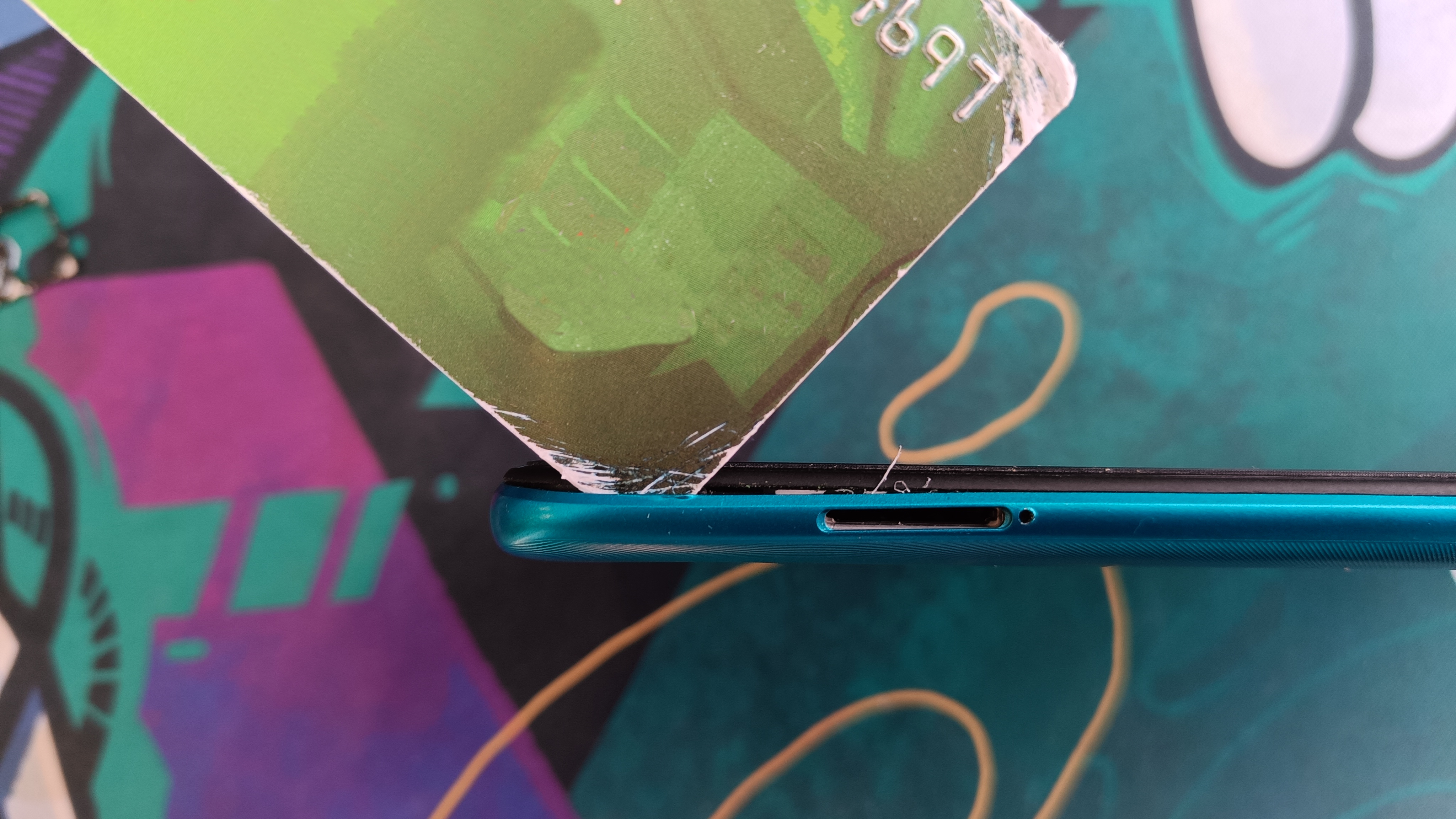
Remove the back panel (You can insert a plastic card like this to go around corners)
Write down the IMEI written on the sticker
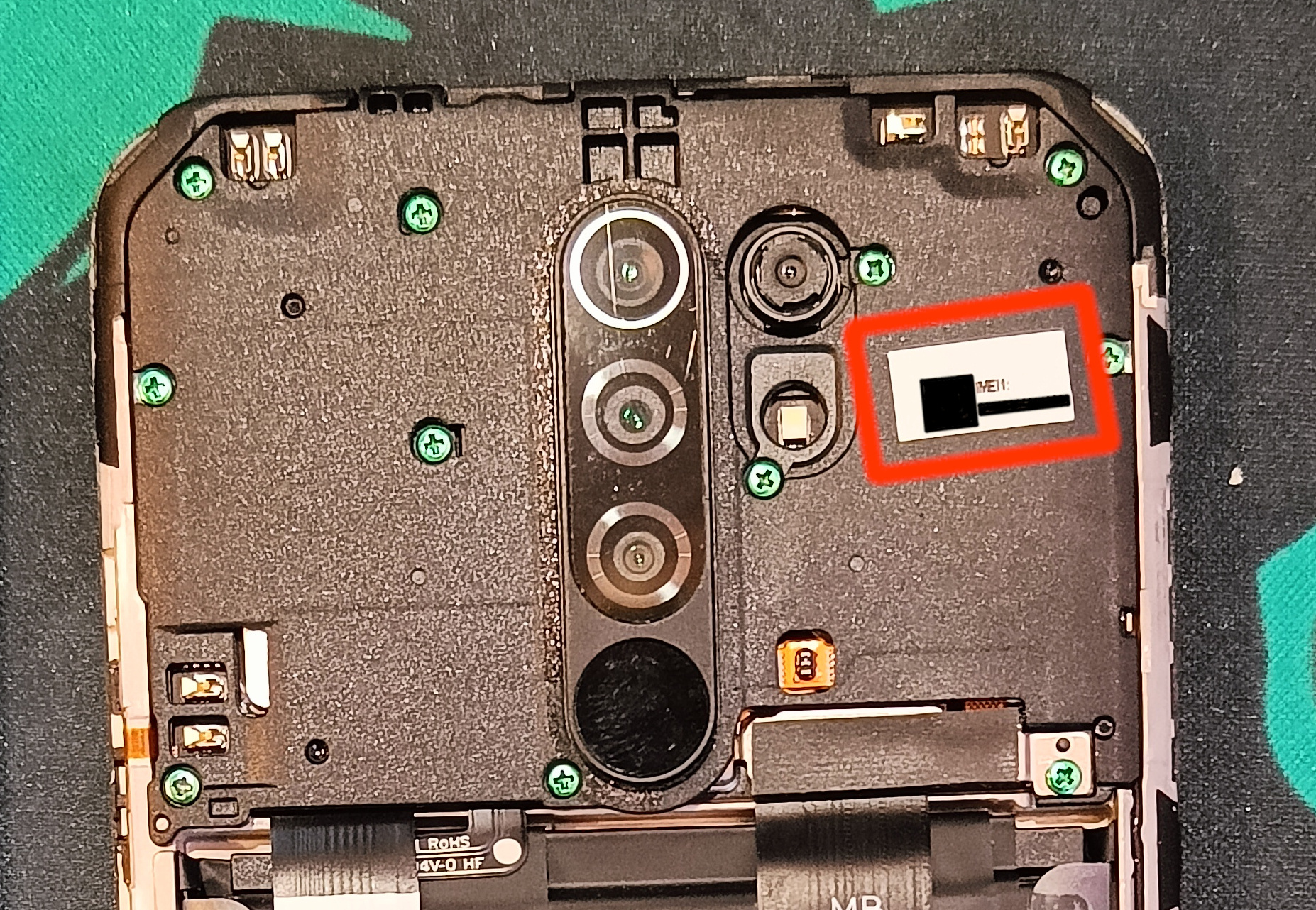
Unscrew all the screws from the top plastic panel
Unplug this ribbon cable
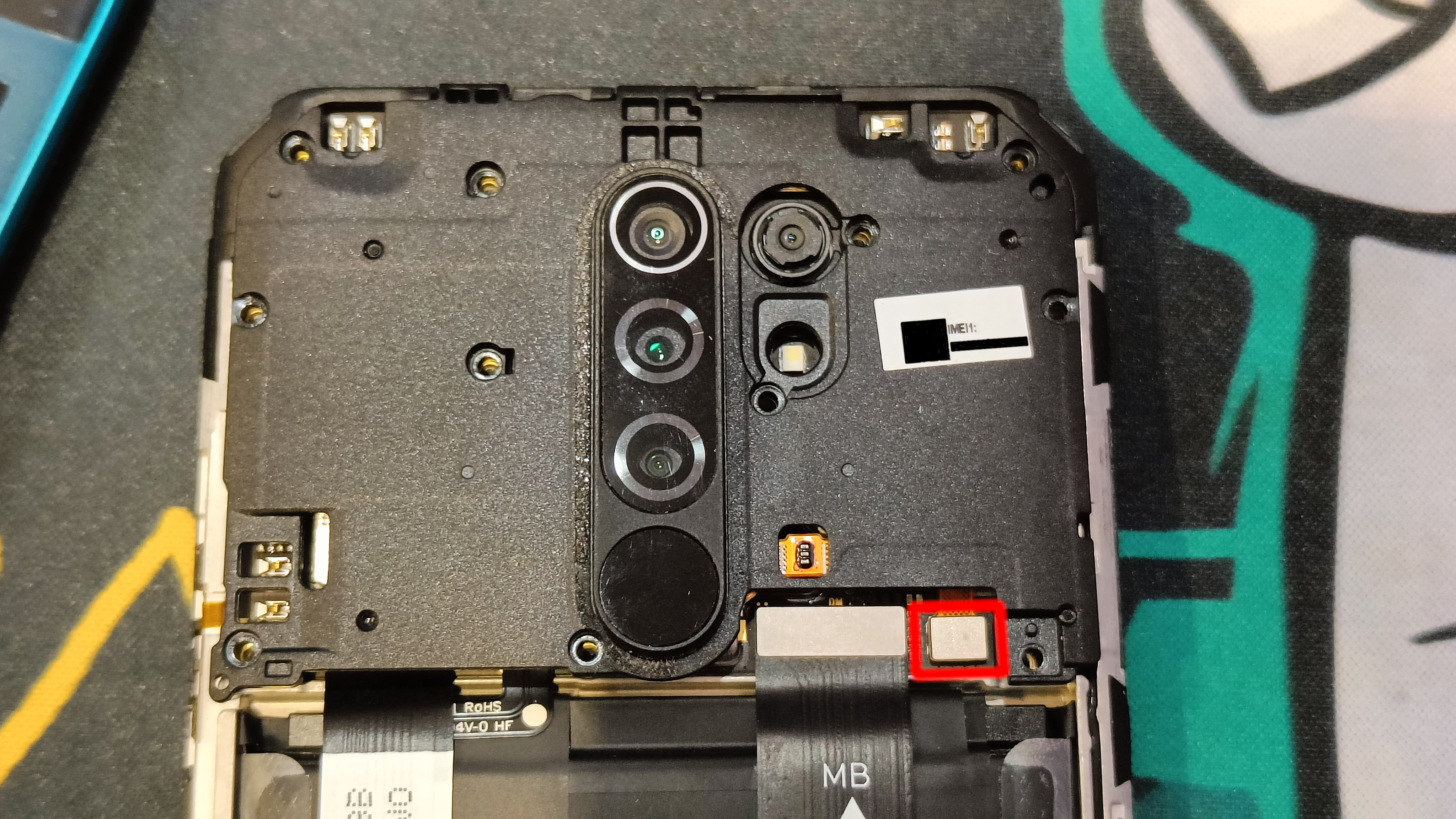
Remove the top plastic panel
Remove the motherboard from the casing by carefully lifting it with a flat-head screwdriver
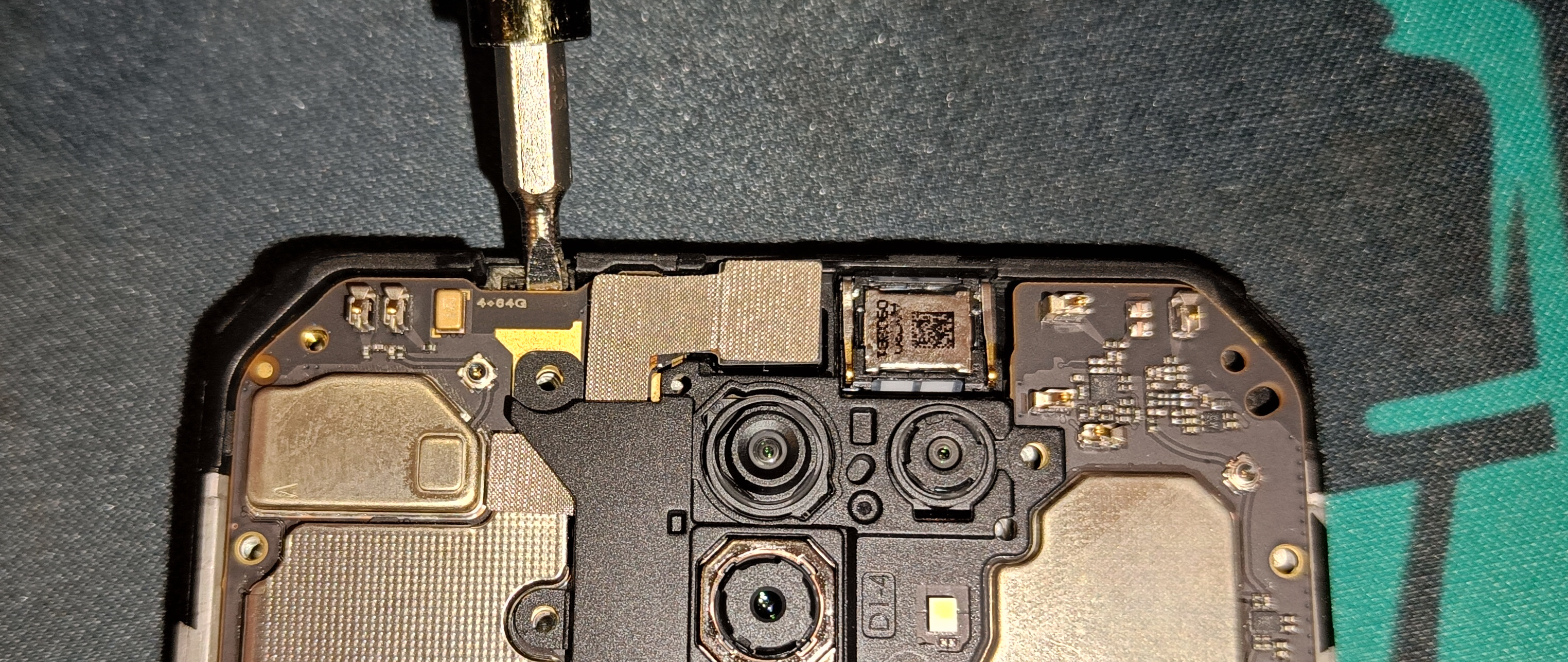
Turn the motherboard around and remove this metal lid. Be careful not to bend it too much
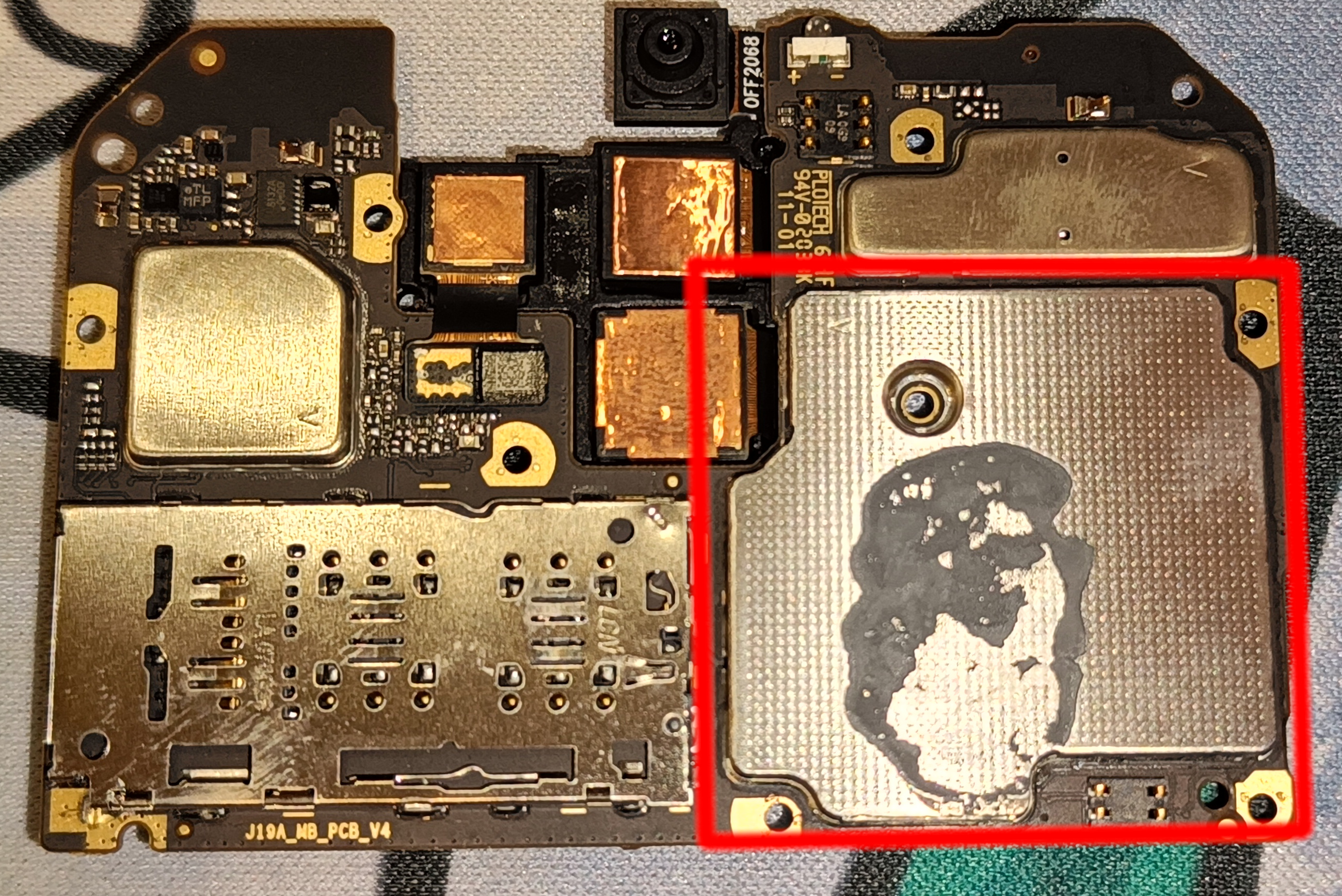
Bend the metal casing upwards. Try to not crease it like I did
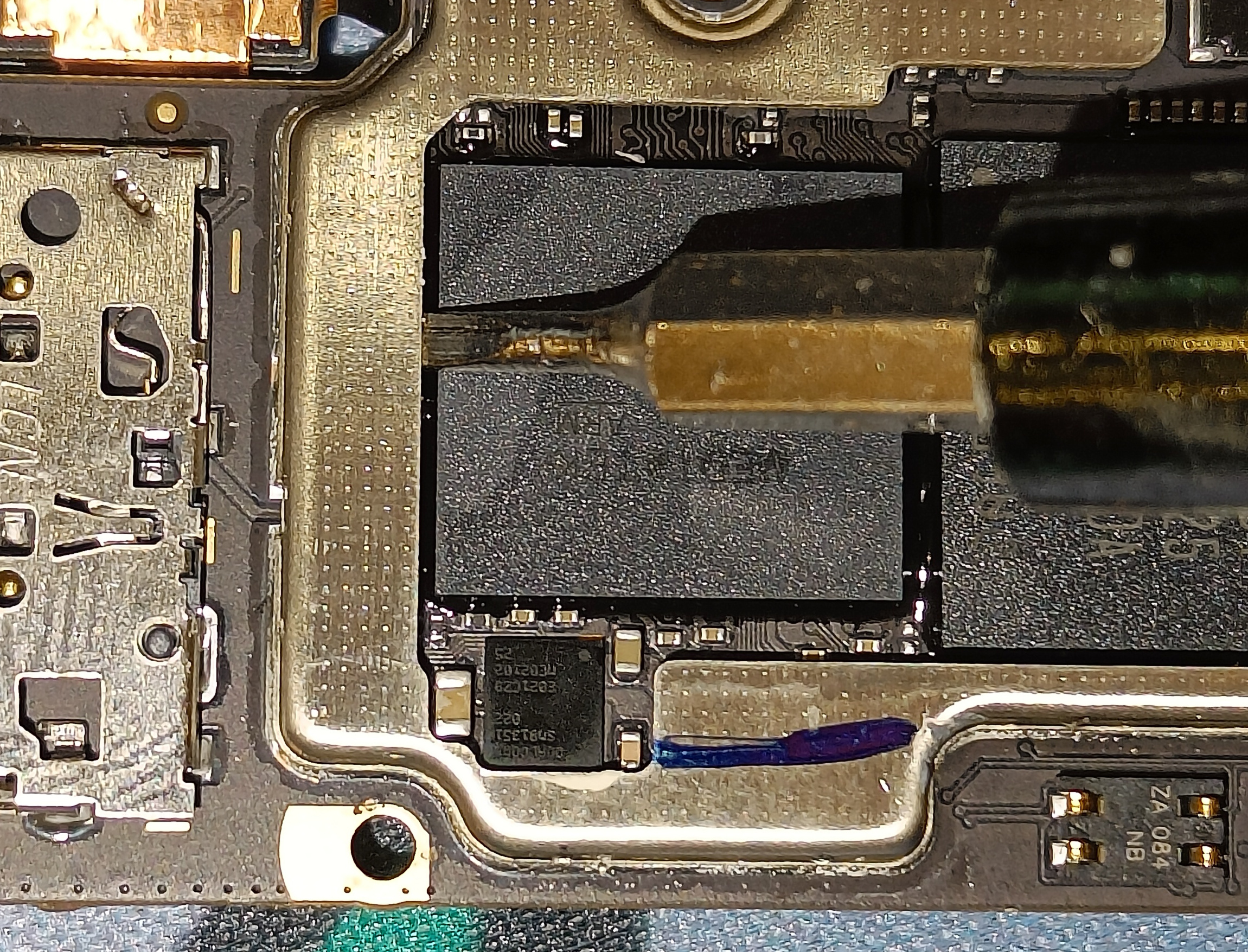
Remove this component using something sharp. (For me it was more destroyed than removed)
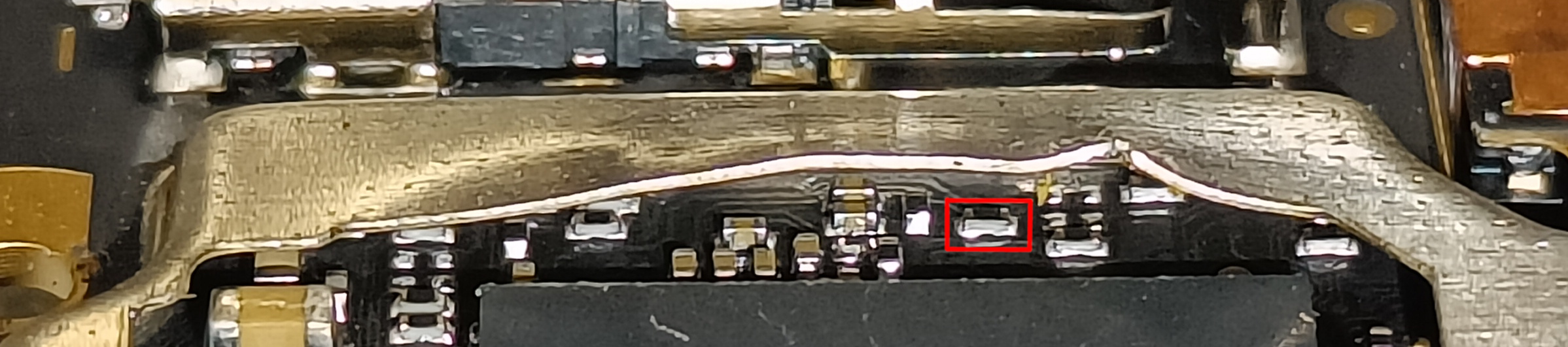
Bend the metal casing back into place and put everything back together
How to use MTKSecBypass
Every time I ask you to do something "with bypass", you should do the following:
Run
MTK-Auth-Bypass-Tool-V13.rar/mtksecbypass_v13.exePress "Disable Auth"
Plug in the device while it's powered off holding both volume buttons
If the device is not detected try installing MTKClient from
mtkclient-2.0-beta.exe
Flashing the ENGROM
Unpack
SP_Flash_Tool v5.20020.rarRun SP Flash Tool (
flash_tool.exe, with bypass)Tab: "Format"
Auto format Flash: On
Format whole flash except bootloader: On
Start
Run SP Flash Tool (with bypass)
Tab: "Download"
Download-agent:
SP_Flash_Tool/DA_6765_6785...Scatter-loading File:
ENGROM.rar/images/MT6768_Android_scatter.txtAuthentication File: empty
Mode: Download Only
Cracking the vbmeta
Install MTK Client from
mtkclient-2.0-beta.exeOpen MTK Client
Juggle with it a bit until the phone connects. I found thatopening a second instance of MTK Client helps it connect. Reconnecting the phone on the "Preloader VCOM" step also helps
Flash Tools > Unlock bootloader
MTKClient Log should contain messages from sej. If it does not, you must repeat this section
Reboot into fastboot (power+volume down)
Run
fastboot flash --disable-verity --disable-verification vbmeta ENGROM/images/vbmeta.img
Fixing NVRAM WARNING
Boot into the system
Open the dialer app
Dial
*#06#(no IMEIs should be present)Dial
*#*#3646633#*#*
In the special menu
Connectivity (swipe left) > CDS Information > Wi-Fi Information> UPDATE MAC
Flashing the IMEIs
Install MAUI Meta from
MauiMETA<...>.zip/MauiMETA<...>.exeOpen MAUIMeta and press Connect
Power off the phone (while plugged in)
Wait for MAUIMeta to connect
In MAUIMeta
Load DB > From Target
Search > "IMEI Download"
IMEI1: Your IMEI without the last digit (it is the"checksum")
IMEI2: IMEI1 + 1
Press "Disconnect". The phone should boot automatically
Confirm that the IMEIs are there by dialing
*#06#Confirm that you can make phone calls
Power off
Flashing MIUI
Run SP Flash Tool (don't connect the phone yet)
Go to tab: "Download"
Scatter-loading File:
lancelot_global_images<...>/images/MT6768_Android_scatter.txtGo to tab: "Readback"
Press: "Add"
Double-click on the value in the "File" column
Name the file "dump.img"
Enter the following values:
Address: 0x0
Length: 0x50400000
Press "Read Back"
Connect the (powered off) phone
Extract the
dump.imgfile with 7-Zip (it will raise errors)Extract
NV.zipintoNV/Copy the files with ids 10,11,14,15,16,17,18,21,35,36 from
dump/toNV/Remove the numbers (and the dot after the numbers) from allfilenames in
NV/Run SP Flash Tool (with bypass)
Tab: "Format"
Auto format Flash: On
Format whole flash except bootloader: On
Start
Run SP Flash Tool (with bypass)
Tab: "Download"
Download-agent:
SP_Flash_Tool/DA_6765_6785...Scatter-loading File:
NV/MT6768_Android_scatter.txtAuthentication File: empty
Mode: Download Only
Run SP Flash Tool (with bypass)
Tab: "Download"
Download-agent:
SP_Flash_Tool/DA_6765_6785...Scatter-loading File:
lancelot_global_images<...>/MT6768_Android_scatter.txtAuthentication File: empty
Mode: Download Only
Be sure to remove the SIM card or it will try to update
Reboot
You can now unlock the bootloader as shown before